the next product channel
Ubiquitous
beyond the interface
Ubiquitous is our framework for designing and building the next generation of product experiences. It gives businesses a way to create intelligent, connected channels that sit across existing systems, data and workflows, helping customers and teams get things done without needing another app.

Channels
Ubiquitous is designed to meet people where they already work, communicate and make decisions.

Voice

Web

App

Whatsapp

Slack

Teams
The Framework
Ubiquitous builds on a collection of typical AI principles that allow us to create compelling agentic features in cutting-edge digital products.

Agents
Agents are the intelligent parts of the product experience. They understand what a user is trying to do, decide what information or tools are needed, and guide the interaction towards a useful outcome.

Workflows
Workflows allow Ubiquitous to turn user journeys into clear, guided experiences. Whether someone is making a booking, raising a support request, asking for a quote or updating their details, each step can be shaped around what the user needs to do, what information is required and what action should happen next.

Memory
Memory allows product channels to retain useful context over time - whether it’s the user’s previous questions, preferences, organisation, role, recent activity or the state of an ongoing process. Used properly, memory makes interactions feel more joined up and less repetitive.

Knowledge
A knowledge base (RAG) allows Ubiquitous to answer questions using the information your business already has. This can include documentation, policies, support articles, product information, internal notes, project data from various sources e.g. your website, content platform or CRM.

Tools
Tools allow an agent to do something useful, not just talk about it. A tool might check availability, create a booking, update a CRM, raise a ticket, search a database, send a notification, generate a report or connect to a third-party platform.

Live queries
Live Queries allow Ubiquitous to reach into connected systems and retrieve up-to-date information at the point it is needed. That could mean checking availability, finding an order, reviewing a customer record, pulling project data or asking a business system for the latest status.
Generative UI
GenUI allows for richer, more useful interfaces inside the channel the user is already using to streamline the experience. Instead of relying on plain text responses, the product can present forms, buttons, cards, summaries, choices and guided steps that help users complete a task more easily.
Each channel has its own native interface patterns. WhatsApp Flows, Slack Block Kit and Team Adaptive Cards to elevate the experience. The AI should not just reply, it should shape the right interface for the moment.


Humans-in-the-loop
HITL gives your team control where it matters. Not every journey should be fully automated, and not every AI response should be treated as final. Ubiquitous can be designed to involve a person at the right point, whether that means reviewing a response, approving an action, handling an exception or taking over a conversation.
This is especially important for high-value, sensitive or complex journeys. An AI agent might collect the right information, summarise the situation and suggest the next step, but a human can still make the final decision. That creates a better balance between speed and judgement.
Observability
AI products need to be measured, monitored and improved like any other serious digital product. Observability allows businesses to understand how their AI channels are performing in the real world. That means seeing what users are asking, how agents are responding, where workflows are failing, what tools are being used, how much the system costs to run, and whether the experience is improving over time.
-
Metrics
Metrics help businesses understand performance, usage and cost.
-
Logs
Logs provide a practical record of what happened.
-
Traces
Traces show the journey behind a response or action.
-
Evals
Evaluations help measure the quality of AI outputs over time.

Features and Use Cases
The strongest opportunities are usually where users need quick answers, simple actions or guided support across existing systems. The aim is to identify where a conversational, automated or invisible layer can remove friction and make the overall product experience better.
Questions and Answers
Customers can ask about products, services, policies, pricing, support issues or account information. Internal teams can ask about processes, documents, projects or operational data. Instead of digging through folders, portals or support articles, users can ask in plain language and receive a grounded answer.
This can reduce support demand, improve response times and make knowledge easier to use.

Bookings
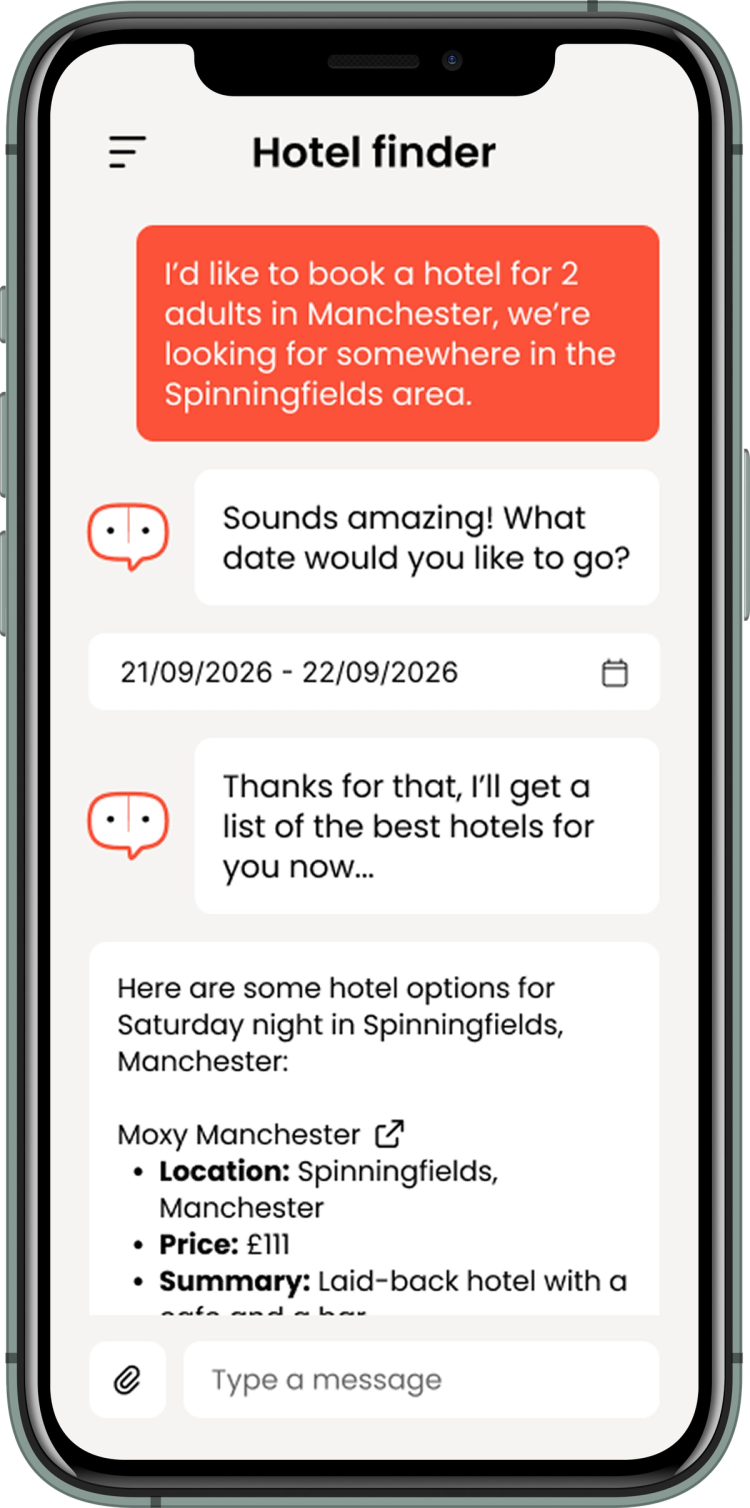
A user can ask about availability, choose a suitable time, provide the necessary details and receive confirmation through the channel they are already using. Behind the scenes, the workflow can check calendars, apply business rules, update systems and send notifications.
This is useful for appointments, consultations, demos, events, services, travel, training and any other journey where booking friction causes drop-off.
Ticket management
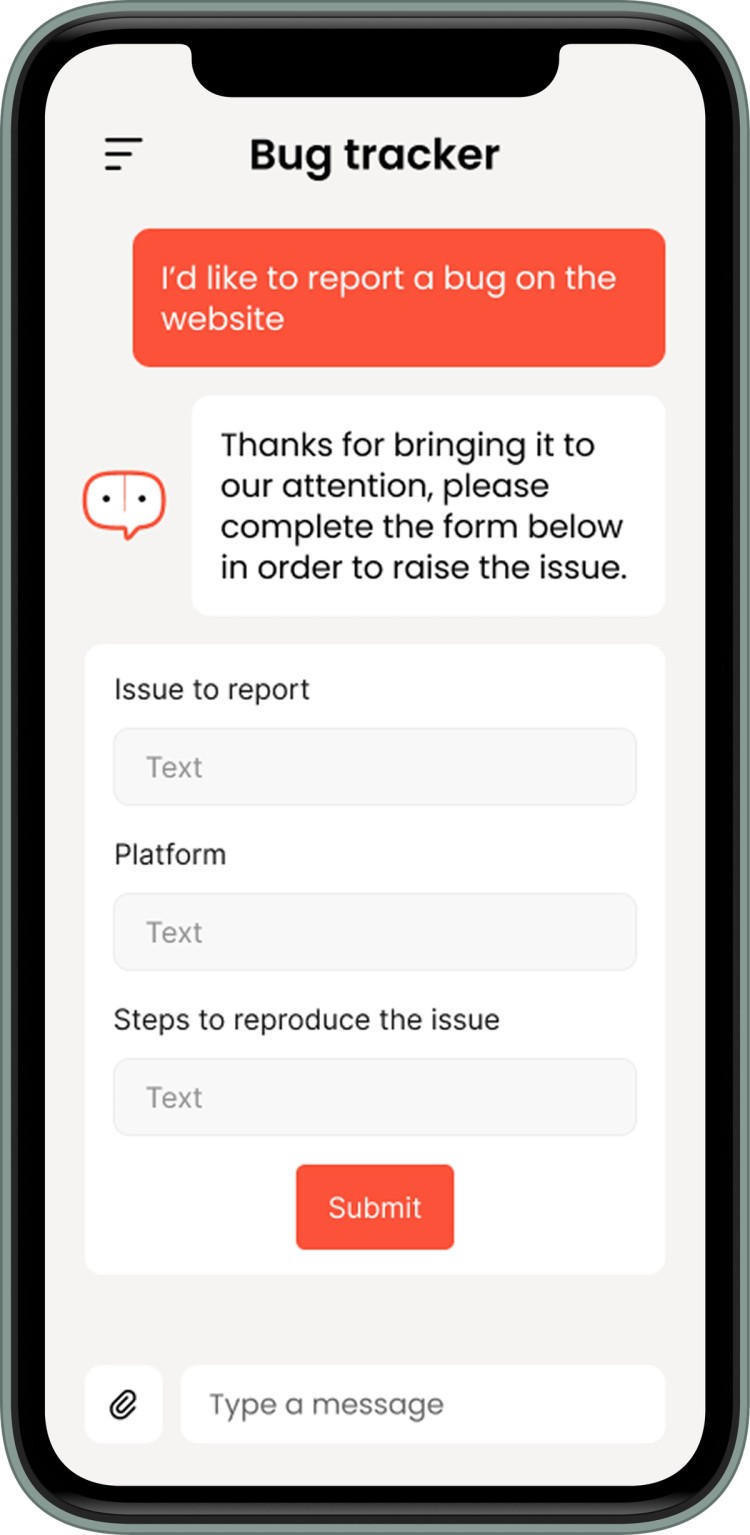
An agent can help users raise or update issues without needing to navigate a support portal. It can collect the right information, classify the request, suggest answers, create the ticket and route it to the correct team. It can also provide status updates and help teams triage incoming issues more efficiently.
This creates a smoother experience for users and a cleaner operational process for support teams.
CRM integration
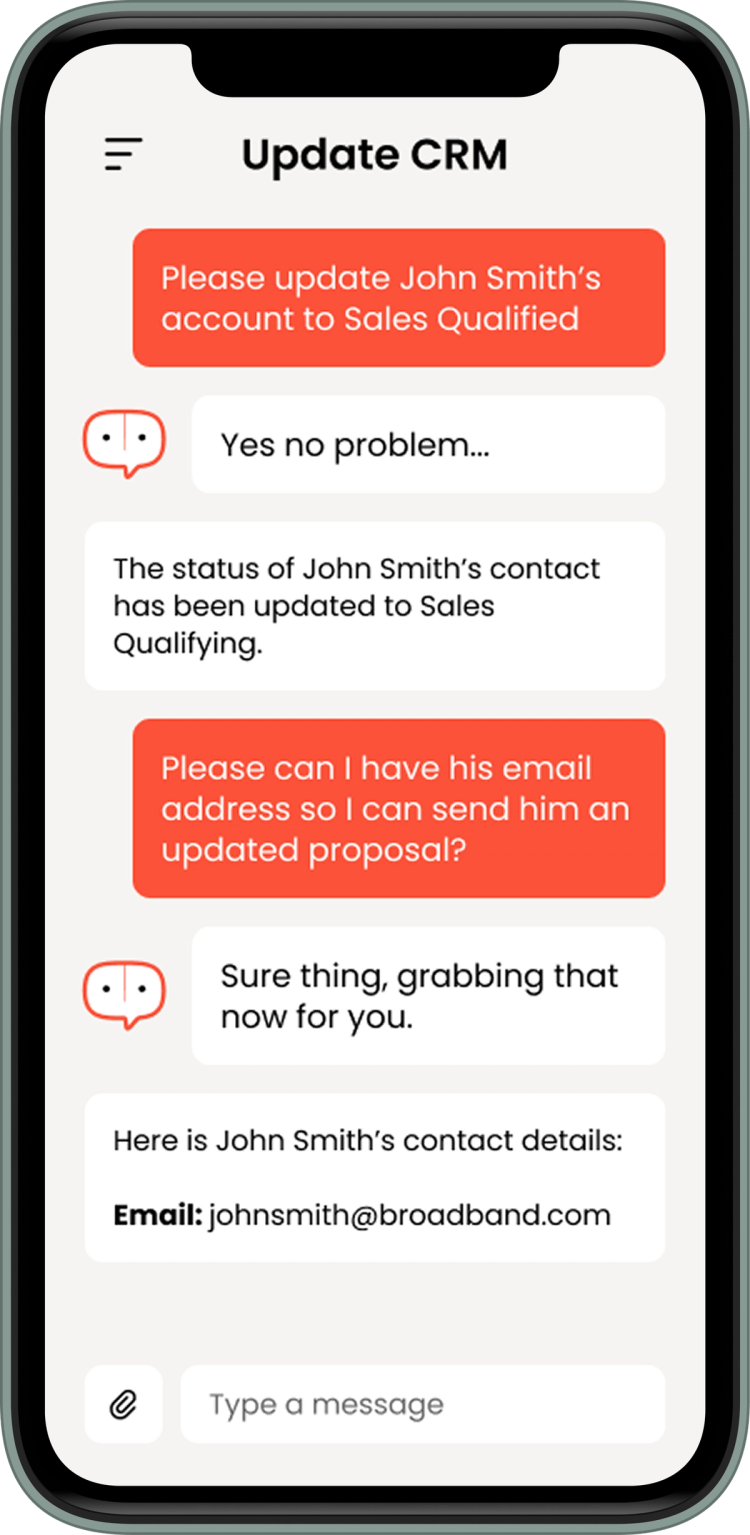
Ubiquitous can connect customer conversations and actions directly into your CRM. That might include creating leads, updating contact records, logging interactions, qualifying opportunities, retrieving account information or triggering follow-up workflows. It helps reduce manual data entry and keeps customer information closer to the point of interaction.
For sales, support and account teams, this means better context and fewer disconnected systems.
Designing for the next generation of product
See why Invisible UI is redefining digital interaction - moving beyond screens into intelligent, effortless experiences. Download our guide to explore the future of product strategy and design.

Frequently Asked Questions
-
We design clear guardrails around what the AI can access, say and do. That includes permissions, approved knowledge sources, restricted actions, human handover points, audit logs and testing against real-world scenarios. The aim is not to let AI operate without control, but to create a useful product layer that works within agreed boundaries.
-
AI can make mistakes, so Ubiquitous is designed to reduce risk rather than pretend it does not exist. Responses can be grounded in approved knowledge, live system data and structured workflows, with confidence checks, fallback routes and human escalation where needed. For higher-risk journeys, we can design the experience so the AI supports the user rather than making final decisions on its own.
-
Model costs need to be designed into the architecture from the start. Ubiquitous can use different models for different tasks, so simpler requests do not need to run through the most expensive option every time. We can also optimise prompts, cache repeat answers, limit unnecessary calls and monitor usage through metrics, logs and reporting.
-
No. Ubiquitous can be designed with an interchangeable model architecture, allowing different models or providers to be used depending on the use case, budget, performance needs and data requirements. This gives you more flexibility as the AI market changes and helps avoid building a product that is tied too tightly to one provider.
-
Yes, depending on the requirements. Ubiquitous can be designed to run on your own cloud infrastructure, on managed cloud services, or using a hybrid approach. The right answer depends on your security, compliance, data residency, integration and support needs. For some organisations, managed infrastructure is the fastest route. For others, more control is worth the extra setup and operational responsibility.
-
Yes. Ubiquitous is designed to sit across your existing systems rather than replace them. It can connect to CRMs, support desks, booking platforms, calendars, databases, document stores, internal tools and third-party services. The value comes from giving users a simpler way to interact with those systems through connected product channels.
-
No. A chatbot usually answers questions inside one interface. Ubiquitous is broader than that. It combines channels, agents, workflows, knowledge, tools, live queries and observability to create product experiences that can answer, act, update systems and support real user journeys.
-
We measure it. Ubiquitous can be monitored using metrics, logs, traces and evaluations, giving you visibility over usage, quality, cost, errors and workflow performance. That means the product can be improved over time based on real behaviour, not guesswork.
Ask us about Ubiquitous