Insight

How much does it cost to design an app?

How much does it cost to design an app?

Courtney Smith

Photo of Courtney Smith

Courtney Smith

digital marketing assistant

16 minutes

time to read

August 17, 2026

published

This blog was originally posted in 2024 but has been refreshed to be up to date for 2026.

If you’re thinking about creating a mobile app, it's likely that one of the first questions you’ll wonder or even ask is how much the design will cost.

There’s no universal price tag for app design. The cost depends on what you’re building, who it’s for and how much work is needed to turn your idea into an experience that’s intuitive, accessible and ready to build.

It’s also worth looking beyond how an app looks. Good design helps people understand what to do, navigate the experience confidently and get value from your product. Research continues to show that 94% of first impressions are influenced by design, highlighting why design should be treated as an important part of your product investment rather than something to add at the end.


Importance of app design in overall app development

App design and app development are different stages of the product journey, but they work closely together. Design defines how the experience should look, feel and work, while development turns that thinking into a working product.

We’ve also explored how much app development costs in 2026, but in this guide, we’re focusing specifically on the design work that happens before and alongside development.

Now, imagine stepping into a beautifully designed store, where everything is thoughtfully placed to create an enjoyable shopping experience. That's exactly what great app design does for your users. It's not just about making things look pretty (although that’s a big part of it), it’s about creating an intuitive, seamless journey that keeps users engaged and coming back for more.

App design sets the stage for user experience (UX) and user interface (UI), dictating how your app feels and functions from the first click. A well-designed app doesn't just serve its purpose efficiently; it delights, excites, and leaves a lasting impression.

Users have more choice than ever, so a well-considered experience can be an important differentiator. When you’re considering the cost of designing an app, it’s worth thinking about what the design needs to achieve for your users and your business, rather than simply looking for the cheapest way to get a set of screens produced.

app design
 

Understanding app design

App design is about much more than choosing colours, fonts and visual styles. It’s about understanding your users, defining how they move through the product and creating an interface that makes each interaction clear and purposeful.

The scope can include everything from user flows, wireframes and information architecture through to visual design, interactive prototypes, accessibility considerations and usability testing. The more of these areas your project needs, the more time and expertise will be required.

In simple terms, scope defines the full range of tasks, deliverables and design requirements the project will cover, making sure everyone knows what to expect and helping to reduce surprises as the project progresses.

 
designing and developing an app

What's the difference between design and development?

Think of app design as creating the plan for a journey. Before development begins, you need to understand where users are going, what they need along the way and how each part of the experience should connect. Development then turns that experience into a working product.

Design focuses on the experience, including user flows, interaction, visual hierarchy and accessibility. Development focuses on building the functionality behind that experience and making sure the finished product performs reliably.

The two should work together from the beginning. Good design considers what's technically possible, while development benefits from having a clear, considered experience to build from.


The main factors that influence app design costs

Types of apps

The type of app you're envisioning plays a huge role in determining the cost. A simple app might feature basic functionality and a few screens, while a medium app involves more intricate features and interactions, and a complex app is packed with advanced capabilities, custom animations, and comprehensive user flows—all of which significantly impact the design budget.

UI/UX requirements

UI/UX requirements are critical in shaping how your app looks and feels, directly influencing user satisfaction and engagement. These requirements can range from straightforward, intuitive navigation and clean layouts to more sophisticated, interactive elements and custom animations, all of which significantly impact the overall design cost.

User research and persona development

User research and persona development are essential steps in crafting an app that truly resonates with its target audience, ensuring the design aligns with user needs and behaviours. While these processes involve in-depth analysis and creative strategy, they can significantly influence design costs by providing a solid foundation for making informed design decisions that enhance user engagement.


App complexity and scope

The complexity and scope of your app are two of the biggest factors affecting design cost. A straightforward product with a small number of user journeys will generally require less design work than a complex platform with multiple user types, detailed workflows, integrations, personalisation or advanced interactions.

It’s also important to remember that the number of screens isn't the only measure of complexity. A small app can still require significant design work if the user journey is complicated or the product needs extensive research and testing.


UI/UX requirements

Your UI and UX requirements will also influence the amount of design work involved. A product may need straightforward navigation and familiar interface patterns, or it may require bespoke interactions, complex workflows, motion, personalisation or multiple user journeys.

The important thing is to design around what your users and business actually need. Adding complexity for the sake of making an app feel more impressive can increase costs without necessarily improving the experience.


User research and persona development

User research helps you understand who you’re designing for, what they need and where existing experiences may be falling short. Depending on the project, this could include interviews, competitor research, workshops, surveys, analytics or usability testing.

Investing in research early can help reduce the risk of designing the wrong thing, while giving the team stronger evidence to support design decisions. The amount of research required will depend on how much you already know about your users and how much uncertainty there is around the product.


Discovery can reduce design risk

Before jumping into polished screens, it’s worth taking the time to understand the problem you’re actually trying to solve. Discovery brings together the business objectives, user needs, technical considerations and project requirements so the team has a clearer direction before detailed design begins.

This can involve workshops, research, mapping user journeys, defining requirements and exploring different approaches to the product. While Discovery adds work at the beginning of a project, it can help avoid spending time and budget designing features or experiences that don't solve the right problem.

For us, this is why The Core sits at the start of our development process. It gives us the opportunity to understand the product properly before we move into detailed design and development.


Wireframes and prototypes

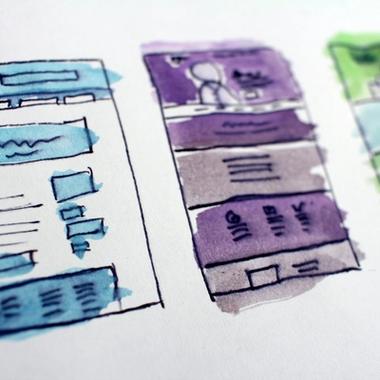
Wireframes help turn ideas and requirements into something tangible. Low-fidelity wireframes focus on structure, content and user flows without spending time on visual detail, making them useful for exploring and validating ideas early.

As the design develops, higher-fidelity screens introduce the visual language, components and interactions that users will experience in the finished product. Moving into this level of detail takes more time, but it also gives stakeholders and developers a much clearer understanding of what is being built.

Image source: TheDesignerShip

branding and design
 

Interactive prototypes

Interactive prototypes are like the dress rehearsal for your app design, allowing you to test and refine user interactions before the final build. While they provide invaluable insights into how users will experience your app, creating these dynamic models involves extra time and resources, but ensures a smoother path to a polished final product.


Branding and aesthetics

Your existing brand will influence how the app looks and feels, but designing an app can also be an opportunity to establish or evolve that visual identity. Colour, typography, imagery, iconography and layout all contribute to creating a recognisable experience.

If you already have established brand guidelines and assets, these can give the design team a strong starting point. If your brand needs to be created or significantly developed alongside the app, that becomes an additional area of design work and should be factored into the budget.


Iconography and imagery

The visual assets within your app need to support the experience rather than simply decorate it. Icons should be recognisable and consistent, while imagery and illustrations should work with your brand and help users understand what they're seeing.

Using existing assets can keep design work focused, while bespoke illustrations, photography, icon sets or animation will require additional time and budget. It's worth deciding early which assets already exist and which need to be created as part of the project.

Spending more on the right visual assets can be worthwhile when they have a clear role in making the product easier to understand or more recognisable, rather than simply adding visual detail.


User testing sessions

User testing gives you the opportunity to put your designs in front of real or representative users and see where they succeed or struggle. Testing can uncover confusing journeys, unclear language, navigation problems and other issues that may not be obvious to the project team.

The cost will depend on the number of sessions, how participants are recruited, what needs to be tested and how much analysis is required afterwards. Testing doesn't have to happen only at the end of the design process either; testing earlier concepts can help you make better decisions before more time is invested in them.


Feedback and iteration cycles

Design rarely moves from the first idea to the finished product in one pass. Feedback and iteration give the team an opportunity to challenge assumptions, respond to user research and refine the experience as the product becomes clearer.

Some iteration should be expected as part of a good design process. The cost increases when there are significant changes in direction, new requirements or additional user journeys after design work has already been completed, which is why agreeing the project scope early is so important.


Custom animations and transitions

Animation can help communicate what's happening, provide feedback after an interaction and make a product feel more responsive. It can also add personality to an experience when used thoughtfully.

More complex motion and bespoke transitions require additional design and development work, so they should be considered alongside the purpose they serve. The goal isn't to add animation everywhere, but to use it where it makes the experience clearer or more engaging.

 
ios and android guidelines

Integration with device features

Features such as the camera, location services, biometrics, notifications and sensors can all influence the design of an app. Each one introduces additional interactions and states that need to be considered, from permission requests and error messages to what happens when a user is offline or denies access.

The design work involved will depend on how deeply these capabilities are integrated into the user journey. The technical implementation will also affect development costs, so design and development teams should consider these requirements together.


Differences between iOS and Android design guidelines

A factor that can affect design cost is whether your app needs to support iOS, Android or both. Each platform has its own conventions, components and interaction patterns, so a good product shouldn't simply be duplicated across platforms.

Apple's Human Interface Guidelines and Google's Material Design guidance provide patterns that help products feel familiar within each ecosystem. The design approach may therefore need to account for platform-specific navigation, components, behaviour and device capabilities.

The differences aren't simply about making one version look different from the other. Platform conventions can influence navigation, controls, layouts, typography, system features and accessibility. Designing with these patterns in mind helps create an experience that feels natural on the device people are using.


Designing for multiple devices

Designing for different devices means thinking beyond a single screen size. Phones, tablets and other form factors can introduce different screen dimensions, orientations, input methods and ways of interacting with the product.

Rather than designing every possible device separately, a strong design system can provide reusable components and rules that adapt across supported screen sizes. The number and type of devices you need to support will still affect the design scope, particularly when the experience needs to behave differently across platforms or form factors.


Considering accessibility

Accessibility should be considered throughout the design process rather than treated as an extra feature at the end. This means thinking about colour contrast, typography, touch targets, focus and navigation, screen readers, alternative input methods, motion, error messages and how people interact with the app in different situations.

WCAG 2.2 remains an important reference point for accessibility, and the W3C published draft guidance in 2025 specifically explaining how WCAG 2.2 principles can be applied to mobile applications. Designing with accessibility in mind from the beginning can help avoid expensive changes later and create a better experience for more people. W3C guidance on applying WCAG 2.2 to mobile applications.

If you'd like to learn more about the importance of accessibility and how to learn about new ways to make apps more inclusive, check out our guide on designing accessible apps.


Imagery, typography and visual assets

Imagery, illustrations, iconography and typography all contribute to the personality and usability of your app. Whether you're working with existing brand assets, licensed photography or bespoke illustrations, the choices you make need to support the experience rather than compete with it.

Typography also needs to work across the devices and platforms you support. Some fonts may require commercial licences, while others can be used freely. These costs are usually small compared with the overall design budget, but they are worth considering early so there are no surprises later.


Additional costs

As with any project, there can be additional costs that aren't immediately obvious, including design tools and software. Platforms such as Figma are commonly used for interface design, prototyping, collaboration and developer handoff. Depending on the project and team, there may also be costs associated with specialist research, testing or collaboration tools.

The exact software costs will vary depending on the team and the tools they already have in place. For example, Figma currently offers a free Starter plan alongside paid plans for teams that need additional features and collaboration capabilities.

Beyond software subscriptions, licensing fees for design assets such as stock images, icons, and fonts can significantly influence the cost of designing an app. High-quality assets often require purchasing licences to ensure they’re legally used in your app, which can vary widely depending on the type and extent of usage.

Other factors to consider are the possibility of changes in project requirements. This can have a considerable impact on the cost of designing an app. Whether it’s a shift in design direction, additional features, or new functionality, each adjustment requires time and resources to implement.

Changes can lead to additional design iterations, research, testing and revisions, all of which can increase the overall cost. This is why agreeing the scope and priorities early is so valuable.

That doesn't mean a product can never change. In fact, iteration is an important part of creating a good product. The key is understanding which changes are part of the agreed design process and which represent a significant change in scope.


Design systems and reusable components

For larger or evolving products, a design system can become an important part of the design work. Instead of creating every button, form, card and interaction from scratch, designers can establish reusable components and rules that keep the experience consistent.

Building a design system takes time at the beginning, but it can make future design work faster and more consistent. It also gives developers a clearer set of components to work from, which can be particularly valuable when a product is expected to grow over time.

The amount of design system work required will depend on the size of the product, the number of platforms being supported and whether an existing system is already in place.

 
wireframing an app

Tips for reducing app design costs

  • Start with a clear problem and scope – The clearer you are about the problem you're solving, your users and the outcomes you want to achieve, the less likely you are to spend time designing features that don't add value.
  • Invest in Discovery before detailed design – Exploring requirements, user journeys and technical considerations early can help identify problems before they become expensive design or development changes.
  • Reuse components where it makes sense – A well-structured design system and reusable components can reduce duplicated work while keeping the experience consistent.
  • Prioritise the most important user journeys – You don't necessarily need every part of the product designed to the same level of detail from day one. Focus effort on the journeys that matter most to your users and your business.
  • Test before you build – Testing prototypes and key user journeys can uncover problems before development begins, when changes are generally quicker and less expensive to make.
  • Keep communication open – Regular feedback and clear decision-making can prevent small changes from becoming larger rounds of redesign later in the project.
 

How much should you budget for app design in 2026?

There isn't a single figure that applies to every app design project. A small product with a handful of straightforward user journeys will require a very different level of design work from a complex platform with multiple user types, integrations and detailed workflows.

As a broad UK market reference, recent 2026 pricing guides put mobile app UI/UX design anywhere from several thousand pounds for a relatively focused project to £20,000 or more for a larger, research-led product design engagement. These figures are useful for setting expectations, but they shouldn't be treated as a fixed price list.

For a meaningful estimate, the better question is what needs to be designed. The number of user journeys, level of research, number of platforms, accessibility requirements, prototyping, testing, design system work and complexity of the product will all affect the amount of time involved.

At The Distance, we look at the project as a whole rather than putting a price on a predetermined number of screens. Understanding the product, its users and its goals first gives us a much better basis for estimating the design work involved.


Final thoughts

The cost of designing an app isn't determined by a single number. It's shaped by the product you're building, the people you're building it for and the amount of work needed to create and validate the experience.

The most useful way to approach your design budget is to focus on what the work needs to achieve. Research can help you understand the problem, wireframes can help shape the experience, prototypes can help you test it and a design system can help you build a consistent product that can evolve over time.

Trying to cut design costs by skipping important stages can create bigger problems later, particularly when issues aren't discovered until development is underway. A well-planned design process gives you more confidence in what you're building and why you're building it.

Ultimately, good app design isn't about making an app look impressive. It's about creating an experience that makes sense to the people using it and supports the goals of the business behind it.

 
contact us

Apply theses insights

Contact us to discuss how we can apply theses insights to your project